Manage Reusable Workout Templates and Categories in traqqer
Updated July 15, 2026
By the traqqer Editorial Team
Entering every workout from scratch makes a training journal difficult to maintain. traqqer lets you save frequently used menus as templates and organize them by category.
Turn a Workout into a Template
Give a workout a title and save it once. Later, select it when recording training and add only the details that changed, such as repetitions or times. Templates such as “5 × 100 m,” bounding, or a strength circuit make routine entry much faster.
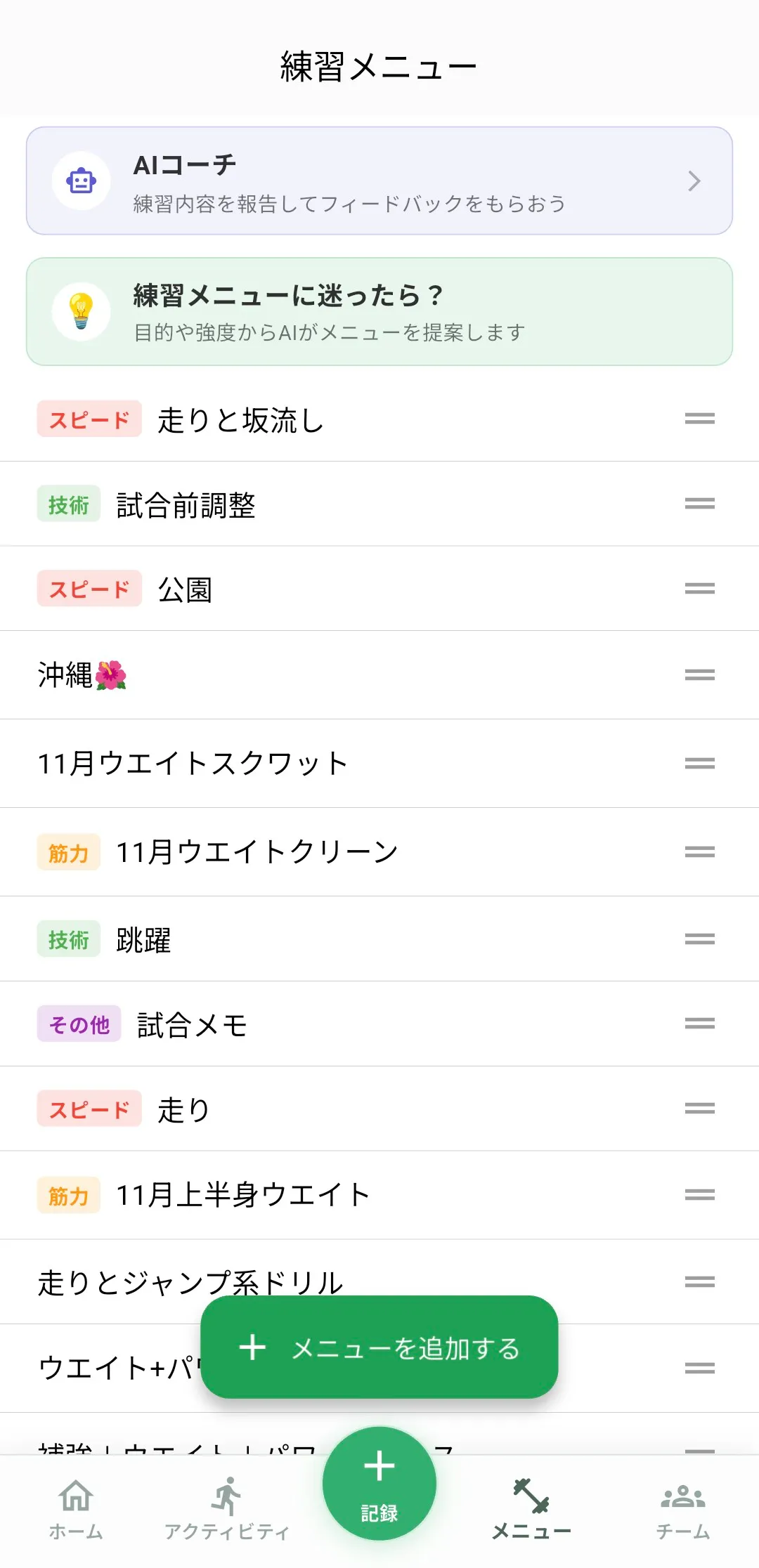
Organize with Category Colors
Each menu can be labeled speed, endurance, strength, technique, recovery, or other. The menu list uses category colors, and the same labels appear in the calendar and category statistics.
The Six Categories
- Speed: fast work near maximum velocity
- Endurance: longer running and intervals
- Strength: weights and general strength
- Technique: drills and form work
- Recovery: easy running and restorative work
- Other: anything outside the groups above
Choose the main purpose. The goal is a useful overview, not a perfect classification.
Reuse and Refine Your Menu Library
The template list also shows the range of training options you currently use. Add new menus, remove obsolete ones, and check which categories are thin. Begin with a few common workouts, assign categories, and reuse them in your next training record.
Start Your Journey with traqqer
traqqer is an AI-powered app that helps you build better habits.
Download now and transform your daily routines for a better life.
