Video analysis for runners, jumpers & throwers
Turn one practice video
into your next drill.
Upload a side-on clip under one minute. traqqer returns an assessment, one fix to focus on, and drills for the next session.
Free to try / Premium is $7.99/month for unlimited use
Download and analyze your first video

From camera roll to feedback
Pick the clip and tell traqqer what you want reviewed. The analysis runs while you keep training.
Choose a video
Just pick a practice video from your camera roll. Aim for a side-on, full-body shot under one minute.
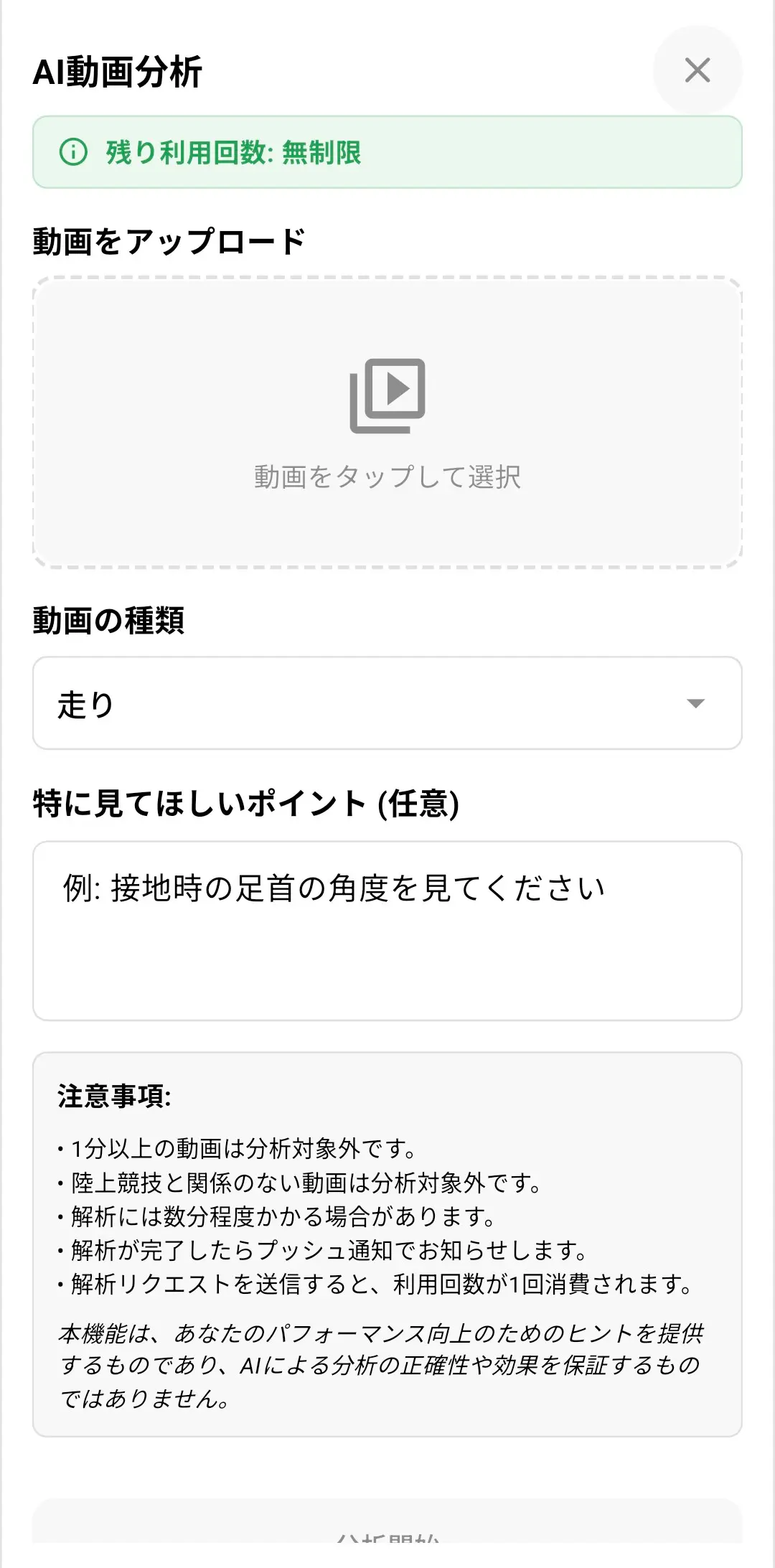
Pick the event and what to focus on
Choose run / jump / throw / drill. You can also freely note what you want reviewed, like "check my ankle angle at touchdown."
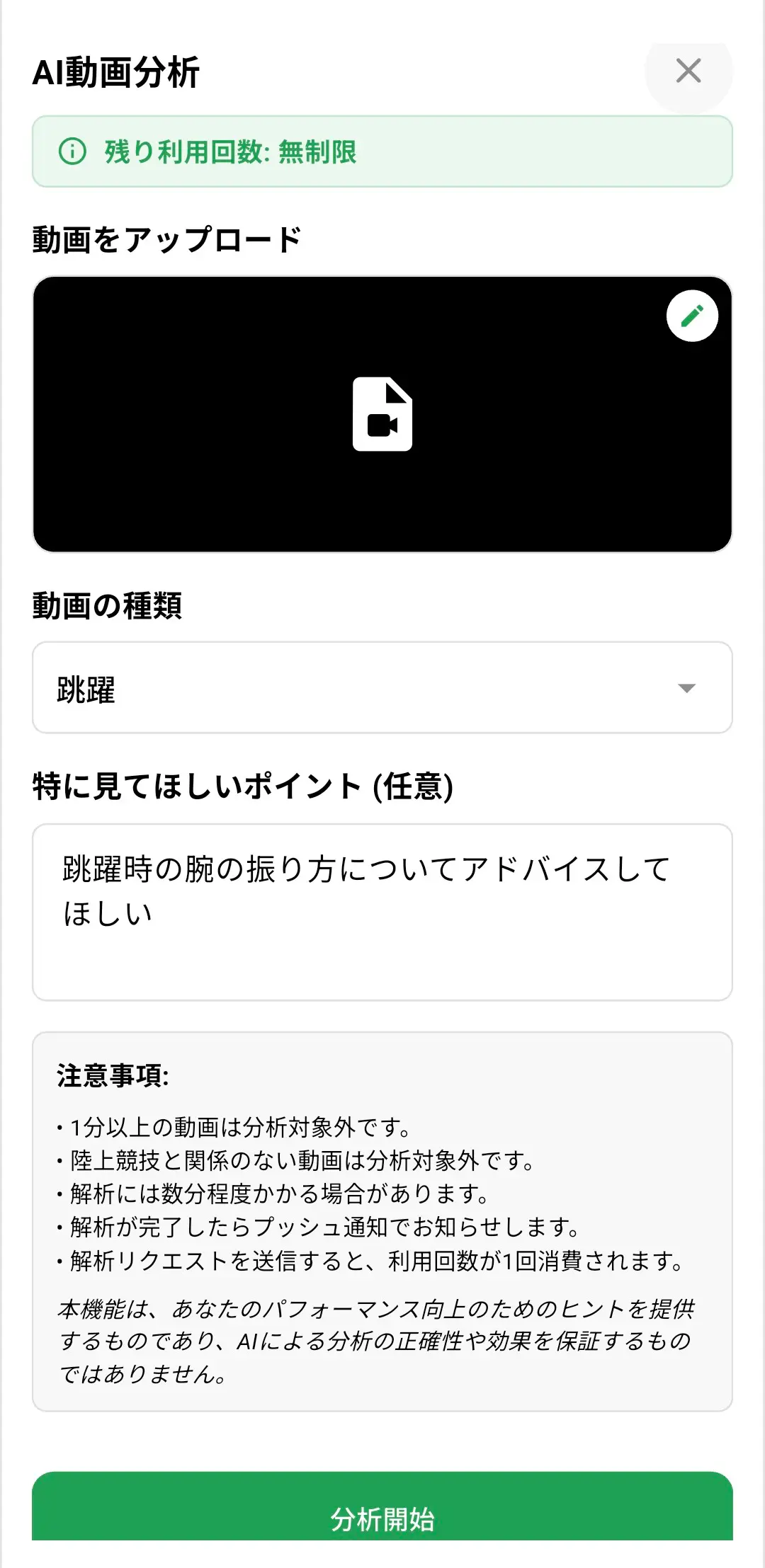
Just wait a few minutes
Analysis runs in the background. We'll send a push notification when it's done. Feel free to close the app while you wait.
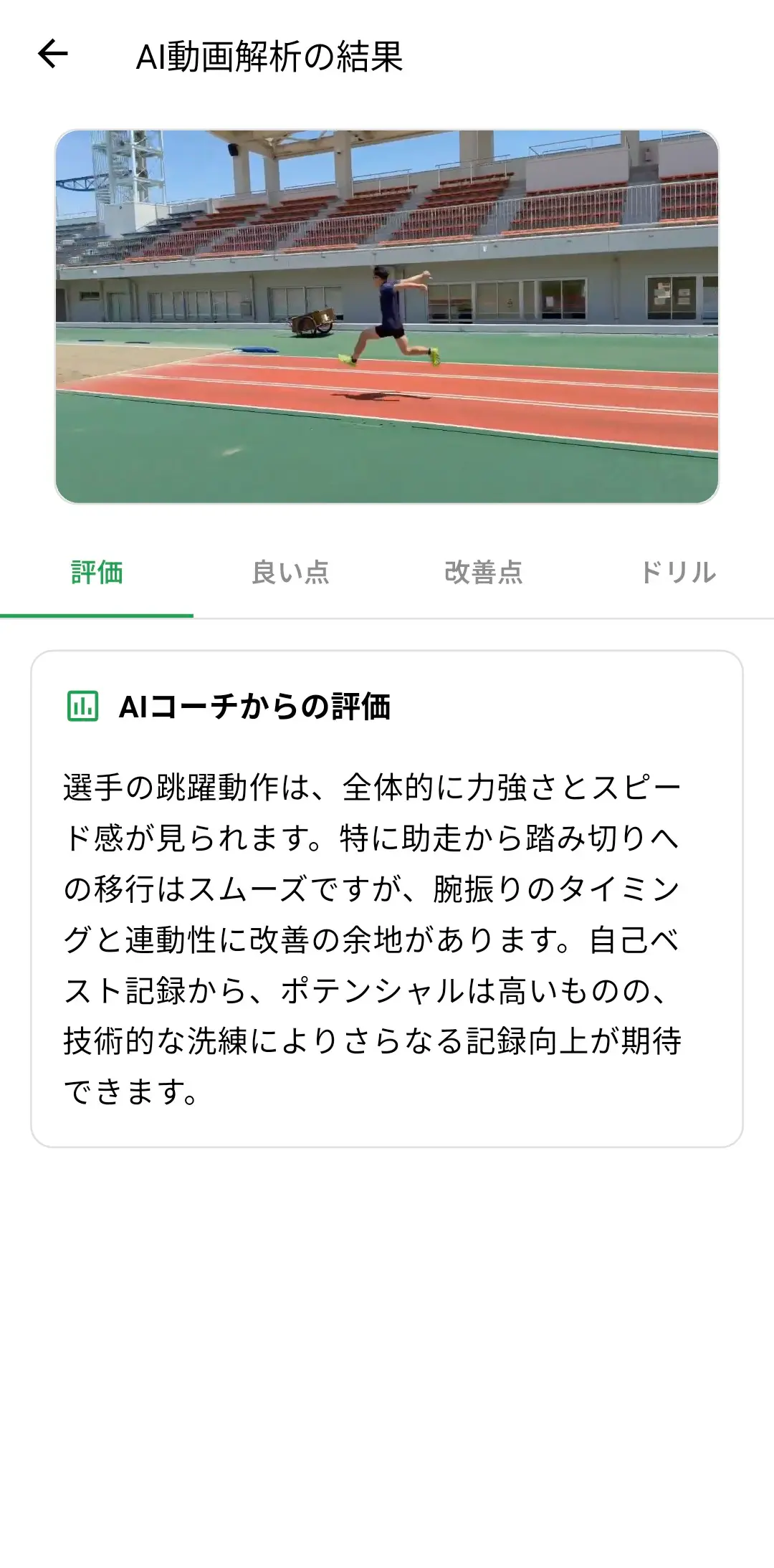
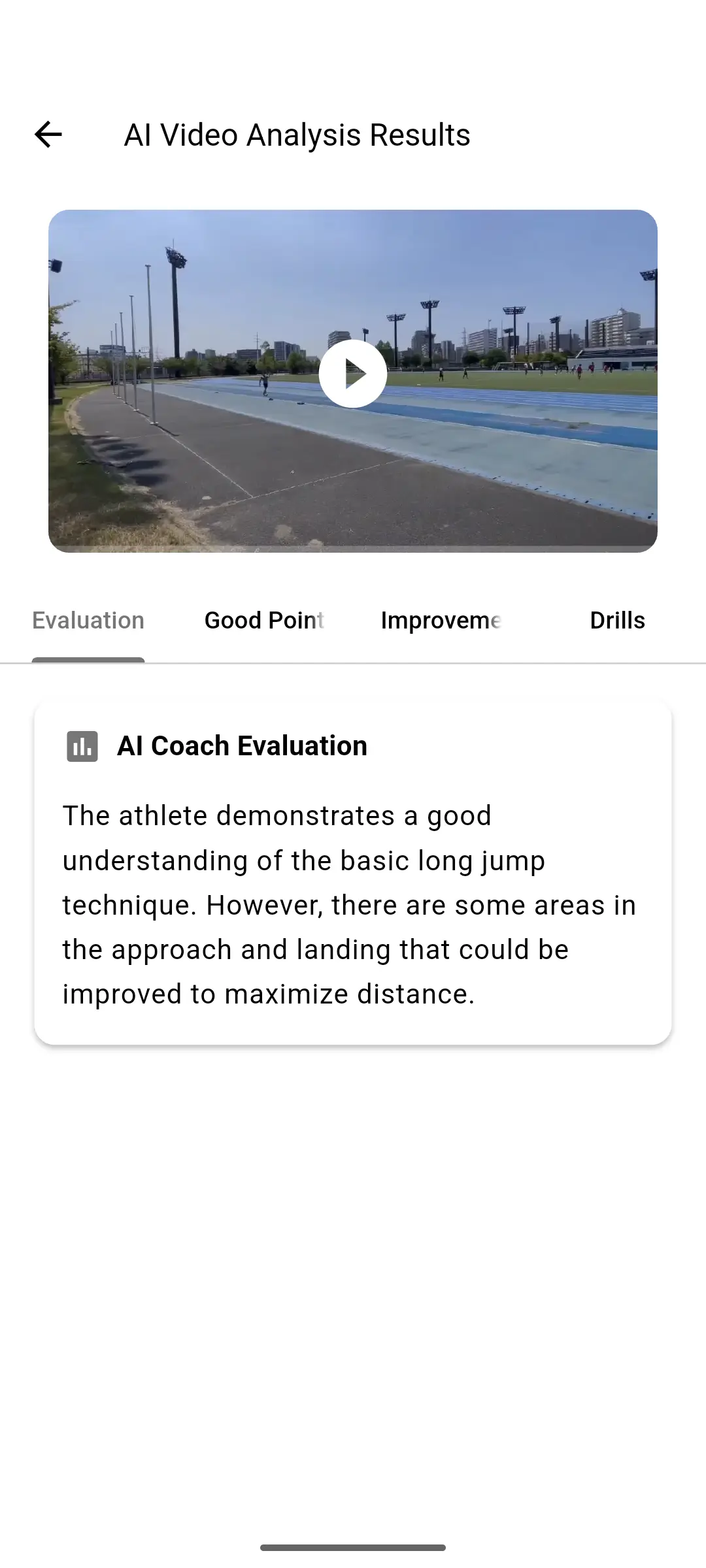
Four parts, each with a job
Read the assessment, keep the strengths, choose one fix, then take the drill to your next session.
An overall form evaluation
A coach-style read of the whole clip, in track and field terms.
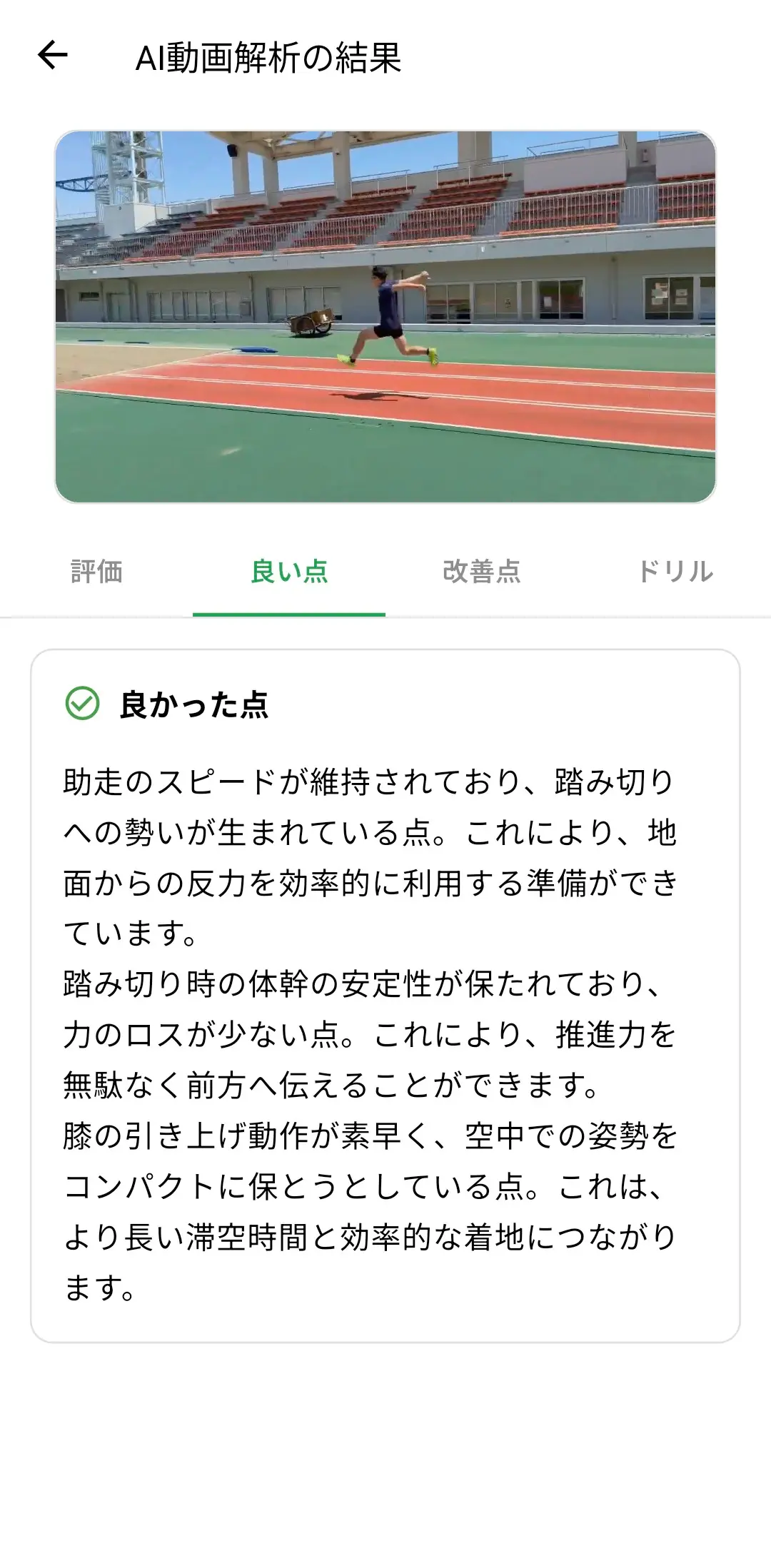
Putting what you do well into words
What you already do well, and why it works. Knowing what not to change is useful too.
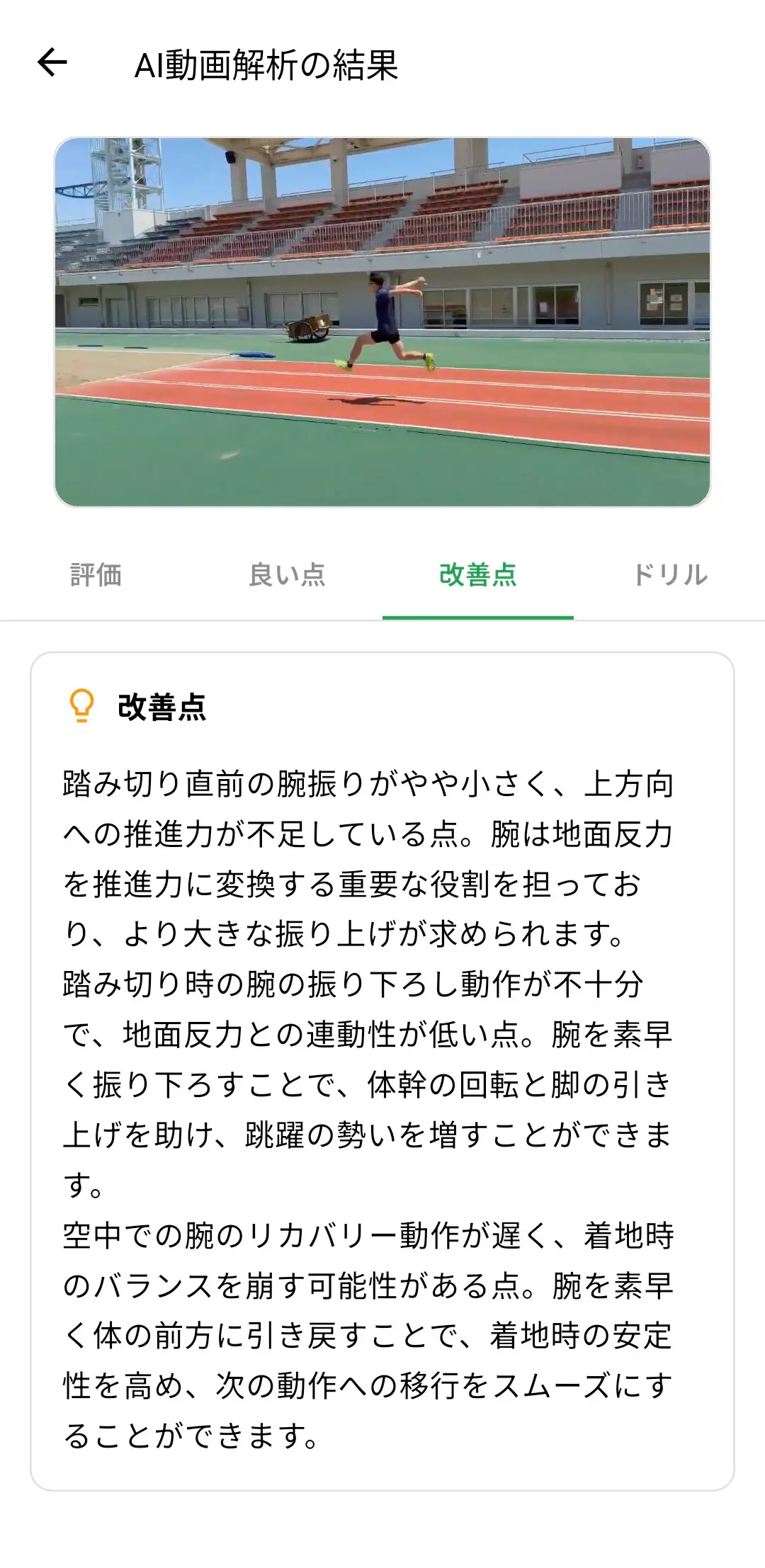
The one thing to fix today
It names a specific part of your form, like a joint angle, timing, or ground contact, so you know what to work on next session.
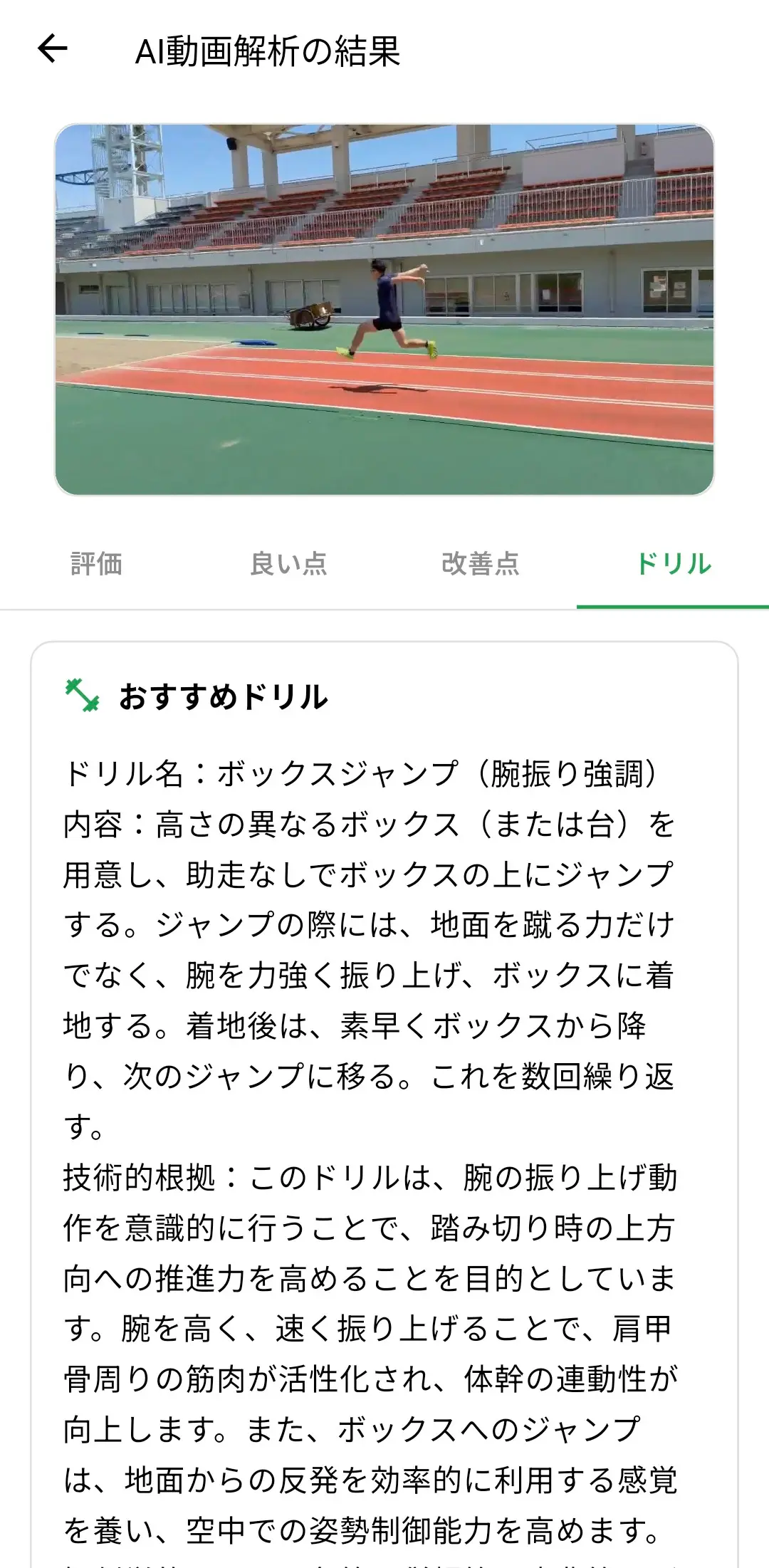
It even suggests your next workout
Each fix comes with drills you can do. You can plan tomorrow's session tonight.
Every analysis stays with the training day
Compare the clip, the notes, and the calendar in one place
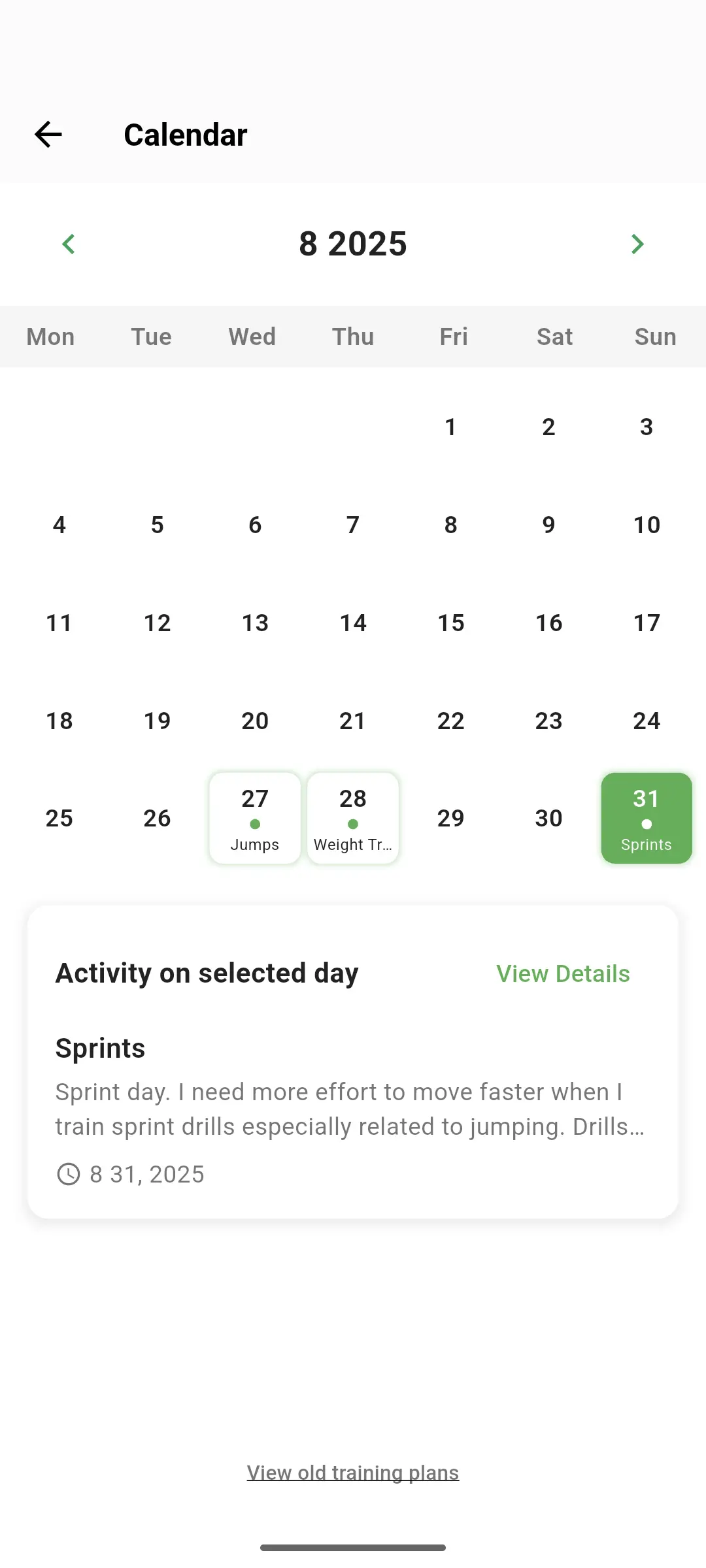
traqqer saves every AI video analysis as history. Tied to your daily training records, you can revisit them alongside the video from the calendar. When you want to know what changed since last month, you can read what the AI said then instead of going by memory.
History list
Past analyses in order
Calendar sync
Play back from the training day

Pair coaching notes with
3D joint data
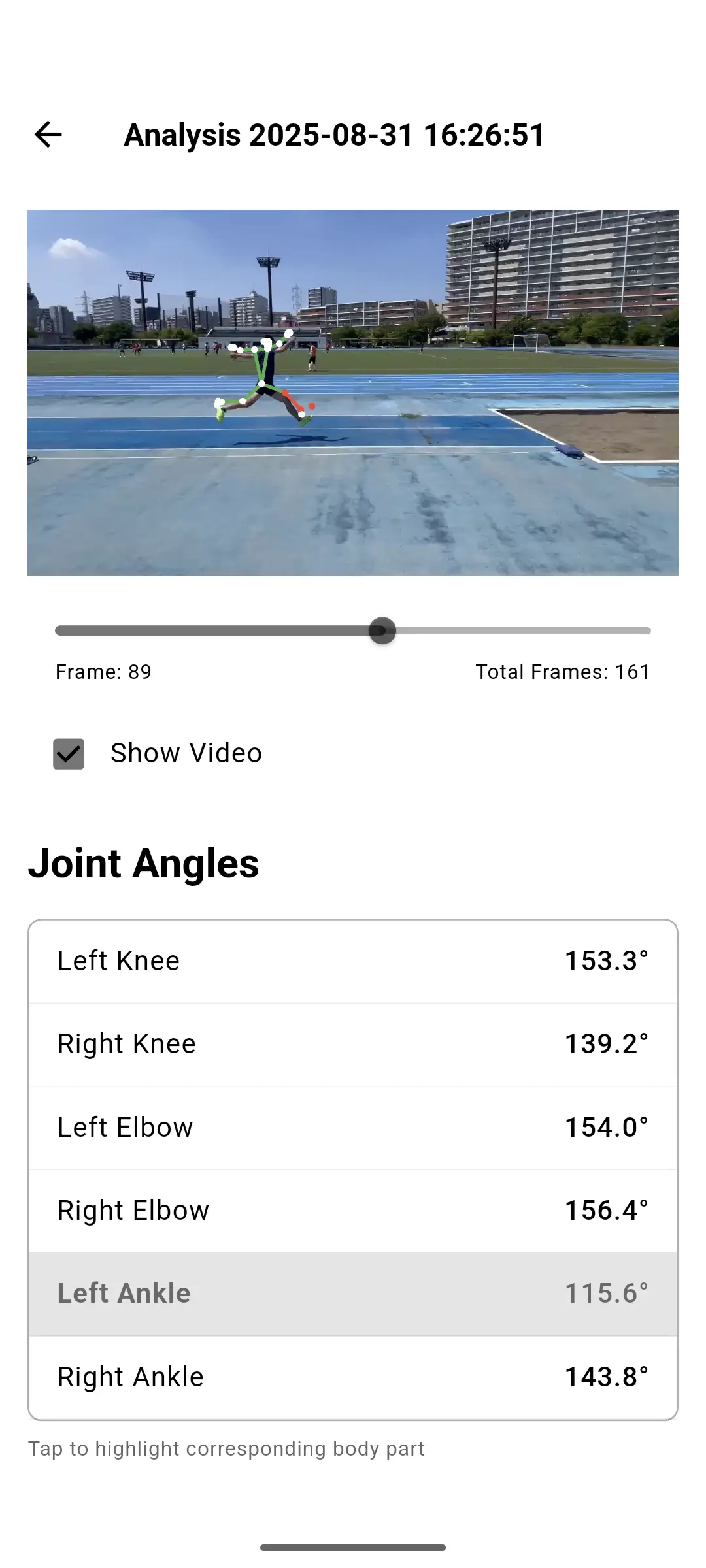
Pose estimation records joint angles and timing frame by frame. Use the video notes to choose what to inspect, then check the movement in numbers.
- ✓ Visualize sway and left-right imbalance with a 3D skeleton
- ✓ Record each joint's angle and velocity as numbers
- ✓ Unlimited with Premium
What it does, and what it does not
Worth knowing before you upload.
Videos under one minute
A short clip is enough. Uploads are light and you can request analysis right away.
Push notification when done
Keep training while you wait. There's no need to leave the app open.
Built for track & field
The event selector covers running, jumping, throwing, and drills.
Use it as a hint
It is not a diagnosis or a performance guarantee. Treat it as input for your training.
traqqer pricing
Try AI video analysis for free first. When you want more, go unlimited with Premium.
Free
$0 / month
- ✓Try AI video analysis on the free plan
- ✓All the core training-log features
- ✓History & calendar sync
Premium
$7.99 / month
- ✓Unlimited AI video analysis
- ✓Unlimited AI motion analysis (3D)
- ✓Unlimited AI recommended menus
Built for athletes and coaches at the track
traqqer supports every athlete who runs, jumps, or throws.
Self-coached students
High school and college athletes without a coach watching every rep. One clip gets you a second pair of eyes.
Coaches who can't watch everyone
Let AI do the first pass on each clip, then spend your time on the athletes who need it.
Masters athletes
For runners, jumpers, and throwers who train around a job and still race.
Frequently asked questions about AI video analysis
Is the AI video analysis free to use?
What kind of video should I upload?
Which track & field events are supported?
How long until I get results?
How is this different from other analysis apps?
How are the analysis results handled?
Start with your latest practice video
Upload a clip for free and leave with one thing to work on next.