AI video analysis / Jumps
Check your takeoff frame by frame. Get coaching notes on the same clip.
The last two steps and the takeoff are over in a fraction of a second. Film the jump from the side and upload the clip. traqqer returns a written review with one thing to fix and drills for your next session. It covers long jump, triple jump, high jump and pole vault.
- Under 1 minute
- Filmed from the side
- Whole body in frame
- iOS and Android
- Free to try

traqqer does not measure how far or how high you jumped, and it does not measure approach or takeoff speed. It reads body positions: joint angles on the frame you stop at, and a written review of the movement. Treat the review as a hint for training. It is not a diagnosis or a promise of a bigger jump.
This is the kind of review you get
What comes back for one jump
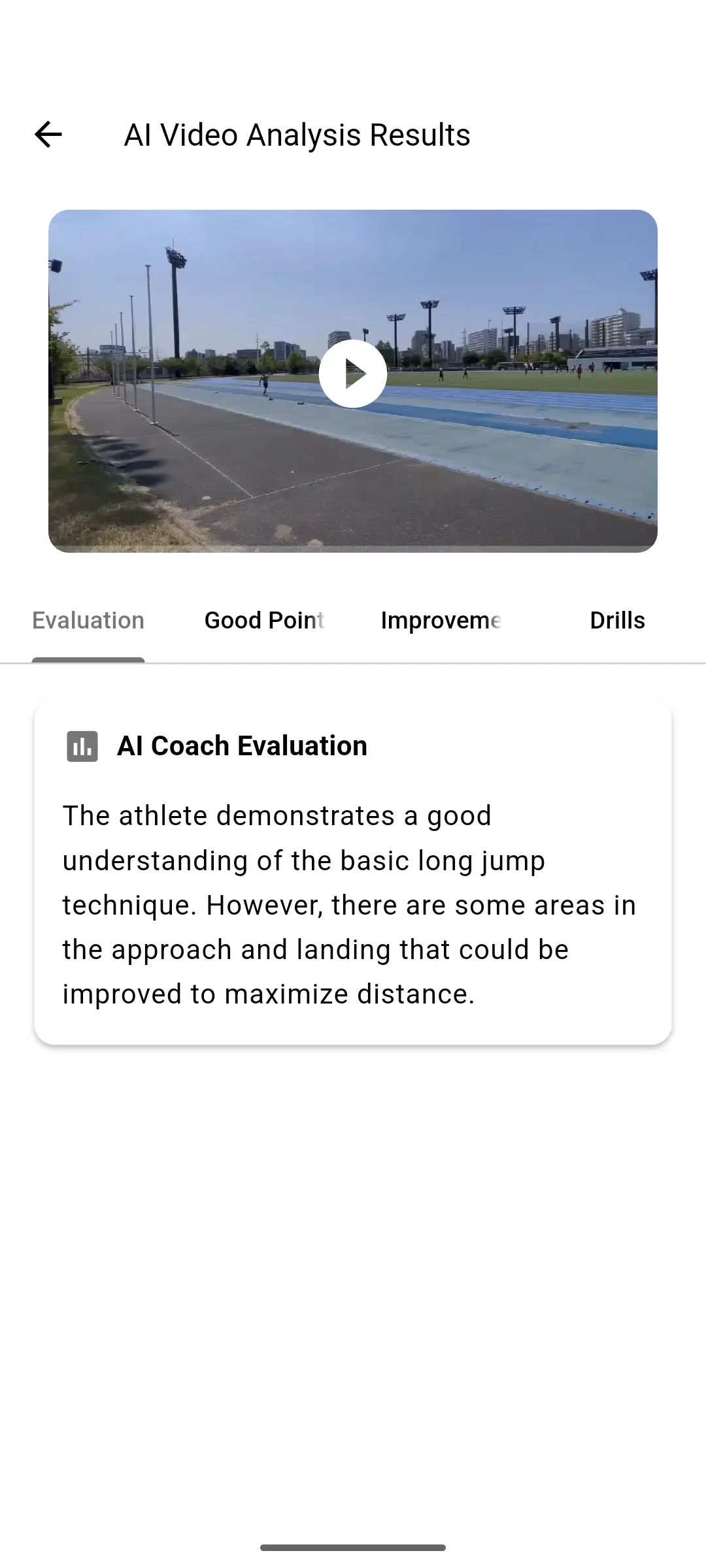
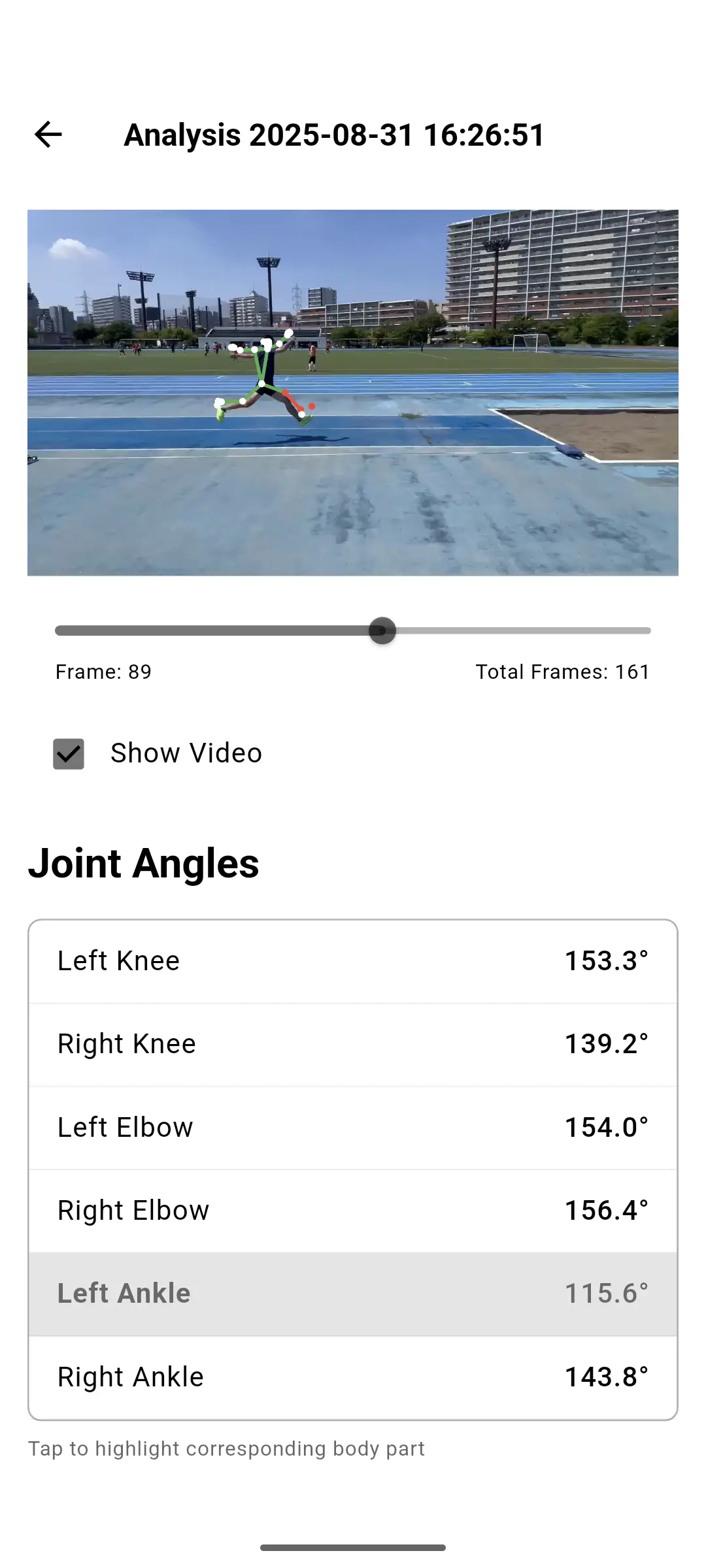
A long jump clip might come back with a note that the approach is steady and the arm drive is good, but the trunk leans forward at takeoff. The Improvements tab says what to change. The Drills tab lists practice for that point. In the 3D view you can stop on the takeoff frame and read the knee and thigh angles on both legs.
This is an example. The wording and the angles depend on your clip.
Each review has four tabs
Evaluation
A short written summary of the whole jump, from the approach to the landing.
Good Points
What to keep. Useful when you change one thing and do not want to lose another.
Improvements
What to fix next, such as posture at takeoff or the position of the free leg.
Drills
Practice matched to the improvements, for your next session.
The two screens you will use
The written review tells you where to look. The skeleton view lets you check that moment in numbers.
Questions
Does traqqer measure my jump distance or height?
Which jumps does it cover?
How should I film a jump?
Can I compare two jumps?
Is there an Android version?
Is it free?
Other event pages
The analysis works the same way on every page. What you look for changes with the event.
- Jumps (this page)
- Throws: Shot put, discus, javelin, hammer
Film one jump today
The takeoff is too fast to see live. Record it once and look at it frame by frame.