Use traqqer AI 3D Motion Analysis to Visualize Your Skeleton from Smartphone Video
Updated July 15, 2026
By the traqqer Editorial Team
traqqer’s AI 3D Motion Analysis is for athletes who want to see form as skeletal movement. It estimates a pose from smartphone video and adds a visual layer that complements written video analysis.
What Is an AI 3D Motion Analysis App?
An AI 3D motion analysis app estimates body-joint positions from video and represents the movement as a connected skeleton or pose. Markerless analysis is more accessible than a laboratory setup because it can begin with a smartphone clip, but it remains an estimate. Camera angle, lighting, clothing, occlusion, and video quality can all affect the result.
Estimate a Skeleton with Only a Smartphone
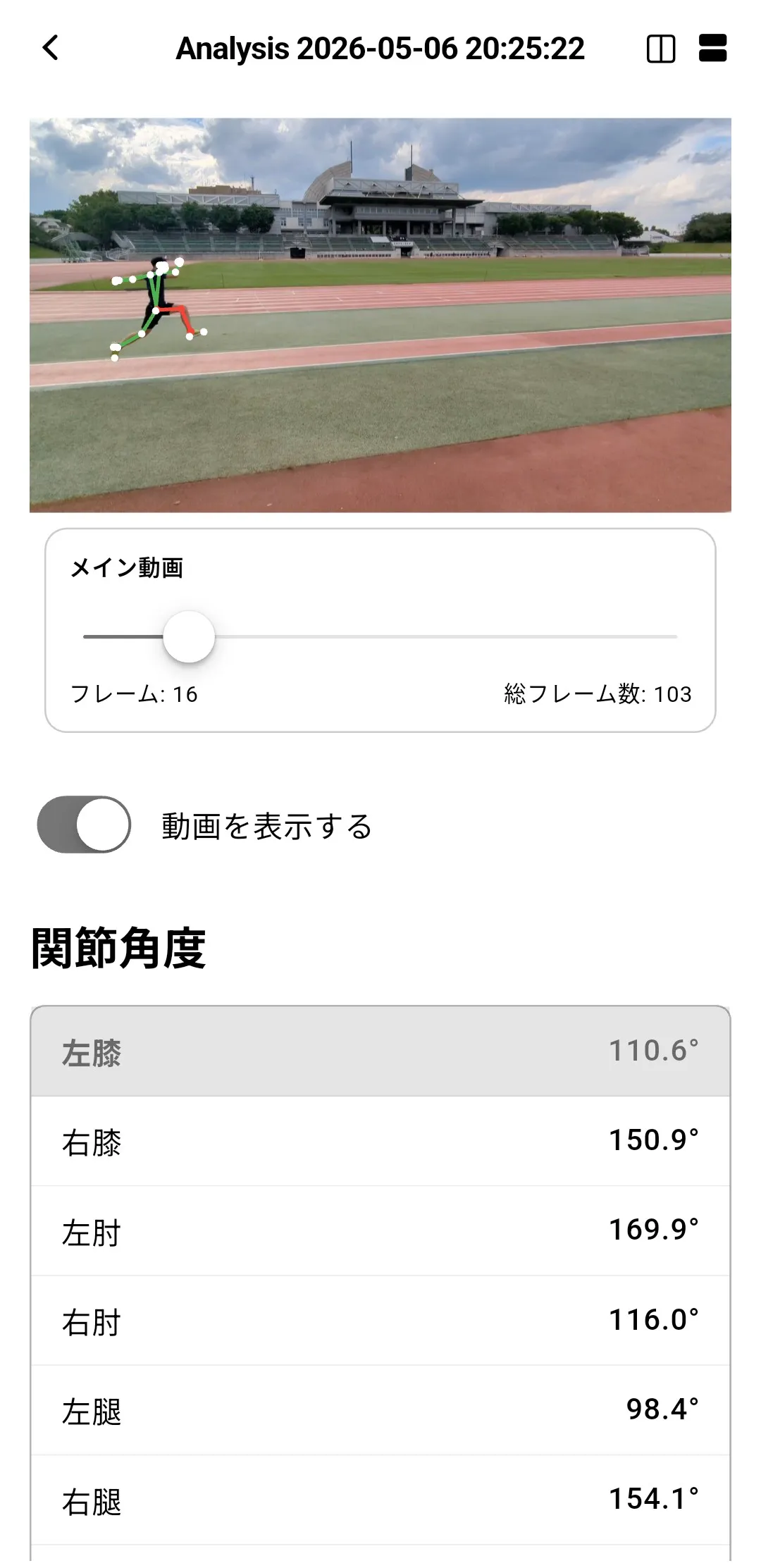
The feature estimates the positions of joints such as the shoulders, elbows, hips, knees, and ankles. It does not require body-mounted sensors or markers, so an ordinary practice video is enough to begin.

Play the Skeleton over the Movement
The result overlays connected joints on the original video. This can make joint motion and body use easier to see than in the unannotated clip. Frame-by-frame playback also lets you inspect the skeletal position at a particular instant.
Save and Review Results
Analysis results are saved for later review and can be compared with older recordings. Form improvement becomes clearer when you compare with your previous movement, so record periodically and revisit the saved results. See the sprint-form analysis workflow.
When to Use 3D Motion Analysis or Video Analysis
traqqer also offers AI Video Analysis, which returns written strengths and improvement points. Use AI Video Analysis when you want a verbal review, and 3D Motion Analysis when you want to inspect the skeletal movement directly. Both provide an outside view of your form.
Begin with one side-view recording and see how the skeleton moves through the action.
Frequently Asked Questions
Do I need markers or special cameras?
traqqer’s workflow does not require body markers or dedicated motion-capture cameras. Keep the whole body visible, use good light, and place the phone on a stable support.
Is phone-based 3D motion analysis as accurate as a lab?
No smartphone workflow should be assumed to match a calibrated multi-camera laboratory system. It is best used for accessible visual feedback and consistent comparisons under similar recording conditions.
What should I analyze first?
Choose one phase and one question, such as the first three steps of acceleration or the landing position in a jump. A narrow comparison is easier to act on than a full-body review with many simultaneous corrections.
Start Your Journey with traqqer
traqqer is an AI-powered app that helps you build better habits.
Download now and transform your daily routines for a better life.
