How to See Your Running Form Objectively with AI Video Analysis
Updated July 15, 2026
By the traqqer Editorial Team
There is always a gap between the movement you imagine and the movement you actually perform. You may be trying to drive the leg farther forward, yet the video shows very little change. The first step in improving form is to see yourself from the outside.
This article explains why video feedback is useful and how to apply traqqer’s AI Video Analysis.
What Is AI Running Form Analysis?
AI running form analysis uses a recorded running or sprinting video to generate structured feedback about visible movement. It can help an athlete decide where to look, compare similar clips, and turn a broad impression such as “my form feels off” into a focused question. It is a feedback tool—not a medical diagnosis or a substitute for an experienced coach.
| Method | Best suited to | Typical output |
|---|---|---|
| AI video analysis | Fast, practical review of a training clip | Written observations and suggested focus points |
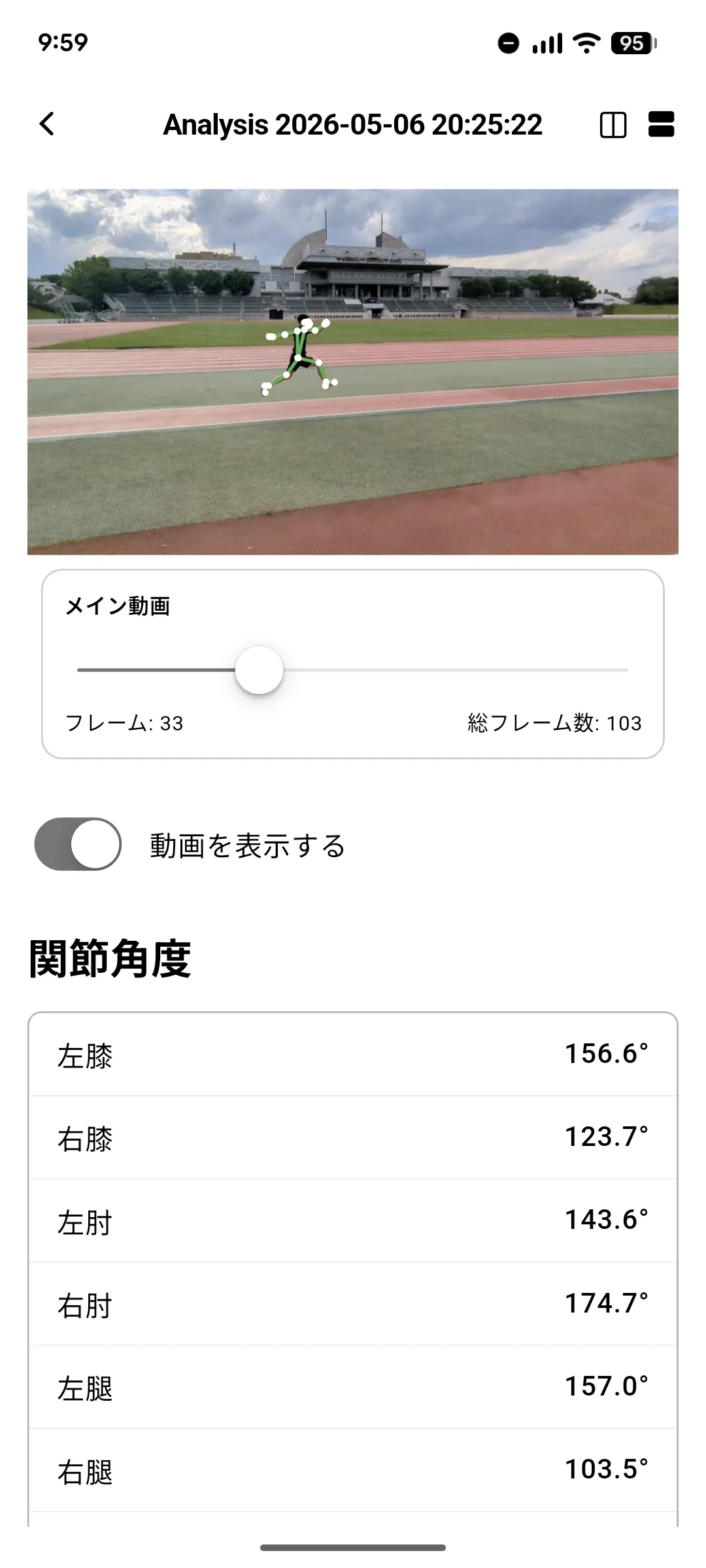
| AI 3D motion analysis | Inspecting estimated joint and skeletal movement | Pose overlay, joint positions, or angles |
| Coach review | Sport- and athlete-specific interpretation | Contextual feedback and session decisions |
These methods can complement one another. AI can make solo review easier, while a coach can connect the observation to the athlete’s history, event, and current training phase.
Why Subjective Feel Is Not Enough
Motor-learning research has long examined how feedback from outside the athlete can support skill acquisition. A coach’s cue and a video replay are both forms of external information.
Relying only on internal sensation can create several problems:
- An incorrect movement becomes fixed because it feels right
- The athlete cannot reproduce what worked on a good day
- The issue is difficult to describe clearly
Video acts as a mirror between sensation and reality.
What AI Video Analysis Can Do
Upload a video of a run or drill and traqqer returns comments about the movement, points to important phases, and saves the analysis with the activity record. If you want to inspect joint-level movement in more detail, see AI 3D Pose Analysis.
For an athlete training alone, the feature provides an additional point of view. Watching the video already helps; AI comments can make it clearer what to examine and why.
Record from the same angle and distance every time. A side view that includes the entire body is a useful default. Consistent conditions make past and current videos easier to compare.
From Recording to Review
- Record the run or drill with the whole body visible, usually from the side
- Upload the clip to traqqer and run AI Video Analysis
- Read the feedback and choose one point to focus on
- Apply it at the next session, record again, and compare
Correct one thing at a time. Video can reveal many issues, but changing several together makes learning and evaluation harder.
Why Saving Video Matters
A one-time analysis helps, but the archive is more valuable. Comparing today’s form with a recording from three months ago can reveal changes that were too gradual to notice day to day. When videos remain attached to training records, the history of your technique becomes a useful training asset.
Summary
If progress feels stuck, record yourself and borrow the AI’s outside perspective. The gap between the movement you imagine and the movement you perform is not a failure; it is information about what to work on next.
Frequently Asked Questions
Can AI analyze running form from a smartphone video?
Yes. A smartphone clip can be enough when the athlete’s whole body is visible and the camera stays stable. Results are easier to compare when the angle, distance, lighting, and effort are similar.
What camera angle works best?
A side view is a practical starting point for posture, foot placement, and changes across a stride. Add a front or rear view when side-to-side movement is the main question.
Can AI running analysis prevent or diagnose injuries?
No tool can guarantee injury prevention, and AI video feedback is not a diagnosis. It can make a movement change easier to notice. Pain, weakness, or persistent symptoms should be evaluated by an appropriate healthcare professional.
Related Articles
- Turn movement into numbers with AI 3D analysis
- Record pain to support a safer return from injury
- How to choose a free motion-analysis app
- How to choose a track and field app
References
Start Your Journey with traqqer
traqqer is an AI-powered app that helps you build better habits.
Download now and transform your daily routines for a better life.
