How to Choose a Track and Field App: The Criteria That Actually Support Improvement
Updated July 15, 2026
By the traqqer Editorial Team
When you compare track and field apps, feature counts and visual design are the first things you notice. Those matter, but athletes who improve consistently tend to care more about how easily an app fits into training. Progress comes from repeatedly recording, reviewing, and applying what you learned, not from a one-off analysis.
First, check how quickly you can record a session. Athletes have less energy and focus immediately after training, so an app that takes too long to update is unlikely to become a habit. Next, ask whether its analysis turns into a clear next action. An abstract score alone does not change training. Finally, check whether the app makes weekly patterns easy to review. Daily numbers are isolated points; a weekly view connects them into a trend.
Quick Answer: What Should a Track and Field App Do?
A useful track and field training app should help an athlete plan a workout, record what happened, review patterns, and decide what to do next. Sprinters, jumpers, throwers, and distance runners may track different details, but the core loop is the same: plan, perform, record, review, adjust.
| What to compare | Why it matters | A practical test |
|---|---|---|
| Entry speed | A log only works when you keep using it | Record a normal session immediately after practice |
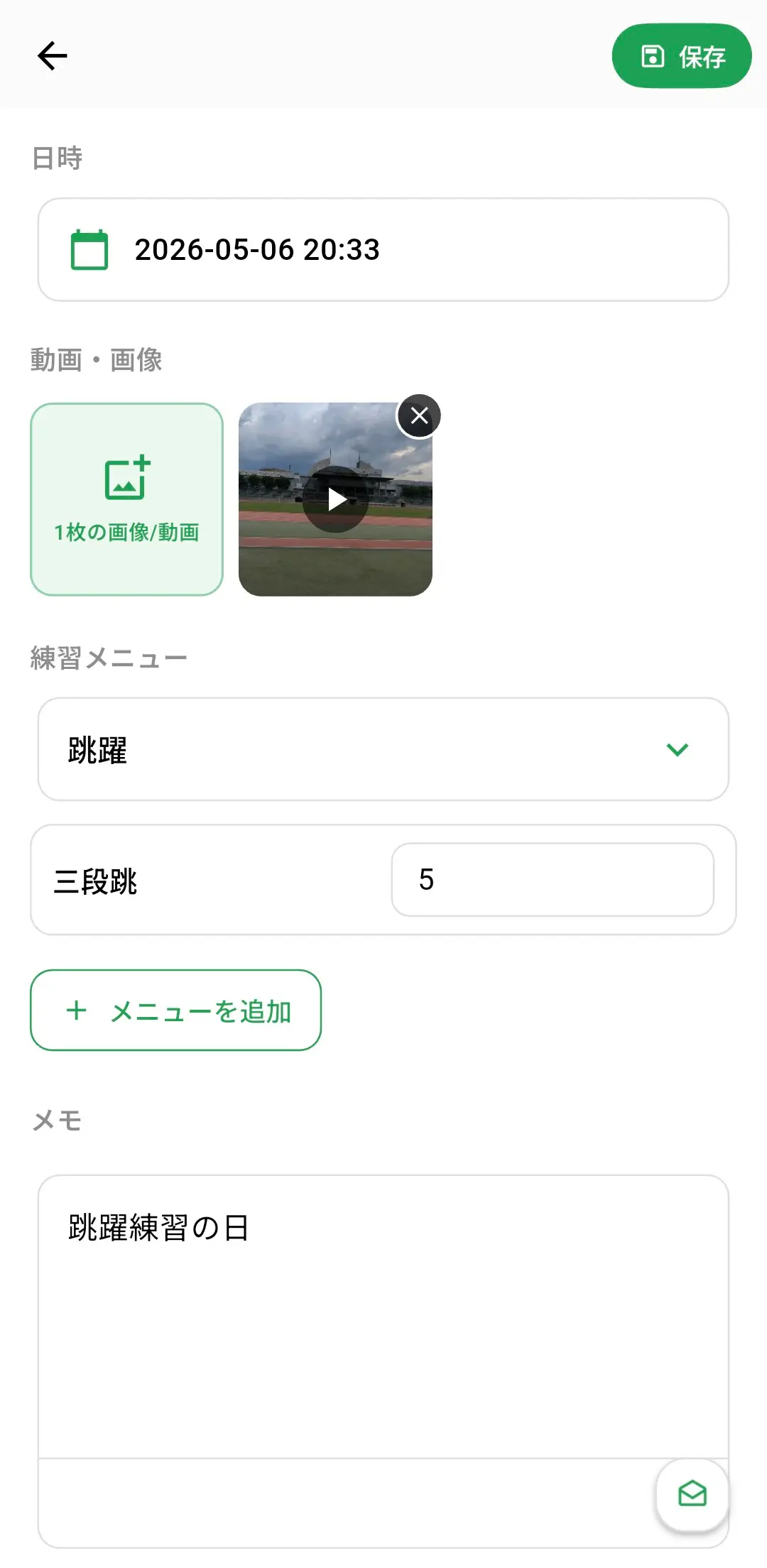
| Event-specific detail | A generic workout title may hide the useful context | Check whether you can save times, distances, RPE, notes, or video |
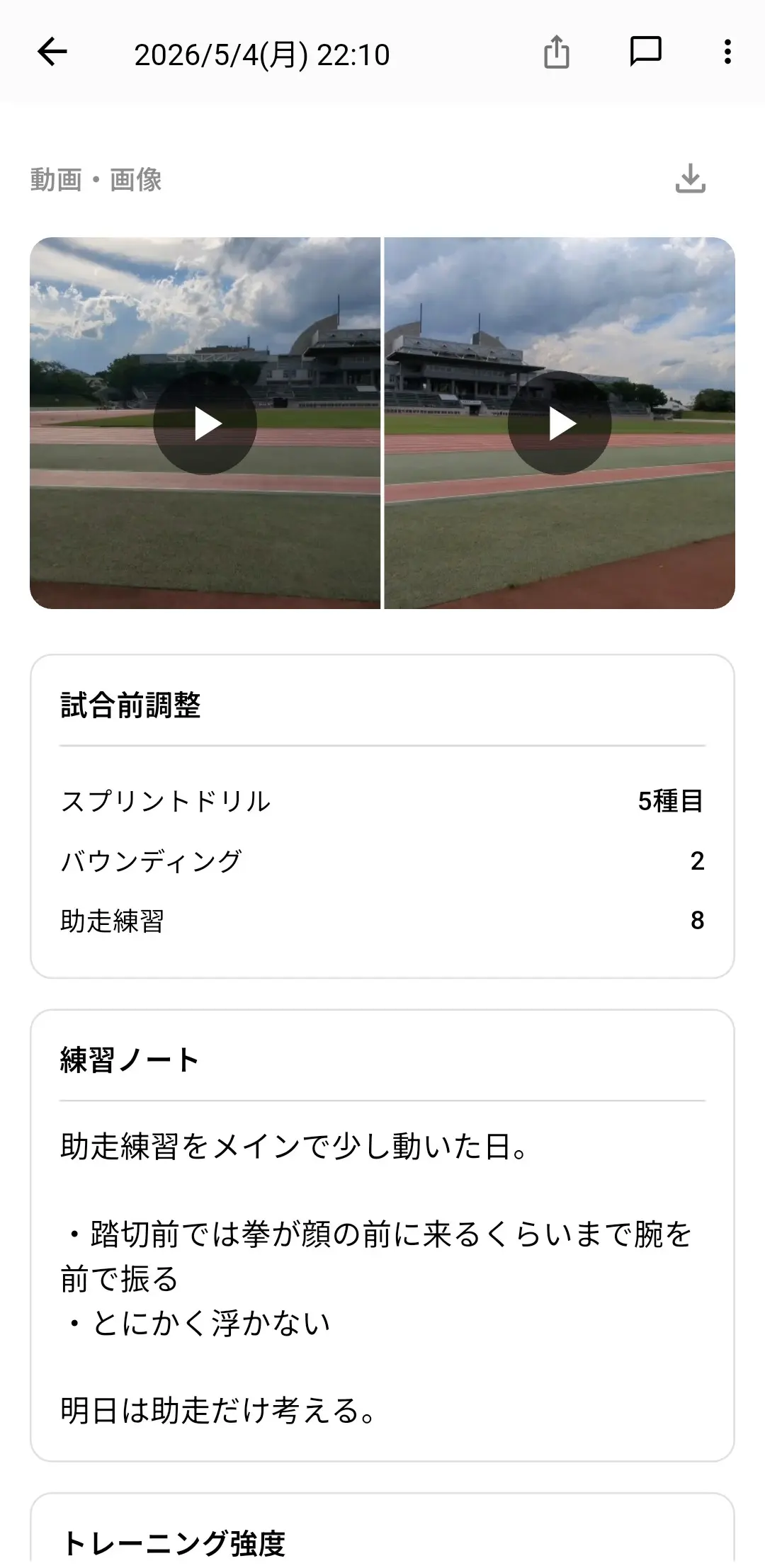
| Review tools | Individual entries need to become a trend | Look for a calendar, statistics, or side-by-side comparison |
| Actionable analysis | Feedback should influence the next session | Ask whether the result suggests one clear change |
| Free-plan limits | You need enough time to test the full cycle | Complete at least one week before deciding |
The Short Version
- Compare apps on input speed, specificity of analysis, and ease of weekly review
- Limit the first week to one priority so you can judge whether the process works
- Choose the app that supports the cycle of record, review, and apply, rather than the app with the longest feature list
When you start using traqqer, give the first week a clear purpose. Use the first day to establish a baseline, add video analysis from the second day, work on one improvement point, and compare the week as a whole at the weekend. This creates evidence of progress without an overly demanding routine.
Many people fail by trying to create a perfect system from day one. More fields usually reduce consistency, while several simultaneous corrections make it difficult to tell what worked. Start narrow: record briefly, review every time, and apply one change to the next session.
Use this checklist when comparing apps:
- Can you complete a post-training entry in about 30 seconds?
- Does the analysis lead to a specific next action?
- Is there a clear weekly-review flow?
- Can you complete at least one improvement cycle on the free plan?
What traqqer Offers
traqqer’s home screen shows the week’s schedule and supports Quick Entry for training notes. AI Video Analysis also separates its feedback into areas for improvement and suggested drills, helping athletes move from analysis to action. Training notes are free, and the AI analysis features can be used up to three times per month at no charge.
Why Sustainable Use Matters
The World Health Organization reports that 31% of adults and 80% of adolescents do not meet recommended physical-activity levels. The CDC recommends at least 150 minutes of moderate-intensity aerobic activity per week for adults, plus muscle-strengthening activity on two days. The scale of the adherence problem is a reminder that an app must make a repeatable routine easier, not merely provide more information.
- 31% of adults and 80% of adolescents do not meet recommended activity levels (WHO)
- Adults should get at least 150 minutes of moderate activity plus two days of muscle strengthening each week (CDC)
Sources
Summary
When comparing track and field apps, focus on fast input, actionable analysis, and a clear weekly review. If an app supports those three things, it is more likely to improve your training than a larger feature list.
Frequently Asked Questions
Is there one app that covers every track and field event?
Some apps are built mainly for running, while others support training logs across sprints, jumps, throws, and distance events. Check whether the app can save the units and context that matter for your event before committing to it.
What should a sprinter track in an app?
Start with the workout, repetition times, recovery, session RPE, condition, and one technique note. Video is useful when you want to compare a specific phase such as the start, acceleration, or maximum velocity.
Is a free track and field app enough?
A free plan can be enough if it lets you complete the full record-review-adjust cycle. Do not judge it only by the number of free features; test whether the limits allow a realistic week of training.
Start Your Journey with traqqer
traqqer is an AI-powered app that helps you build better habits.
Download now and transform your daily routines for a better life.
