Record Competitions in traqqer, from Countdown to Results and Personal Bests
Updated July 15, 2026
By the traqqer Editorial Team
Athletes often record training carefully but leave competition results in photos or memory. traqqer brings the upcoming meet, event results, and personal-best update into one workflow.
Manage Upcoming Meets with a Countdown
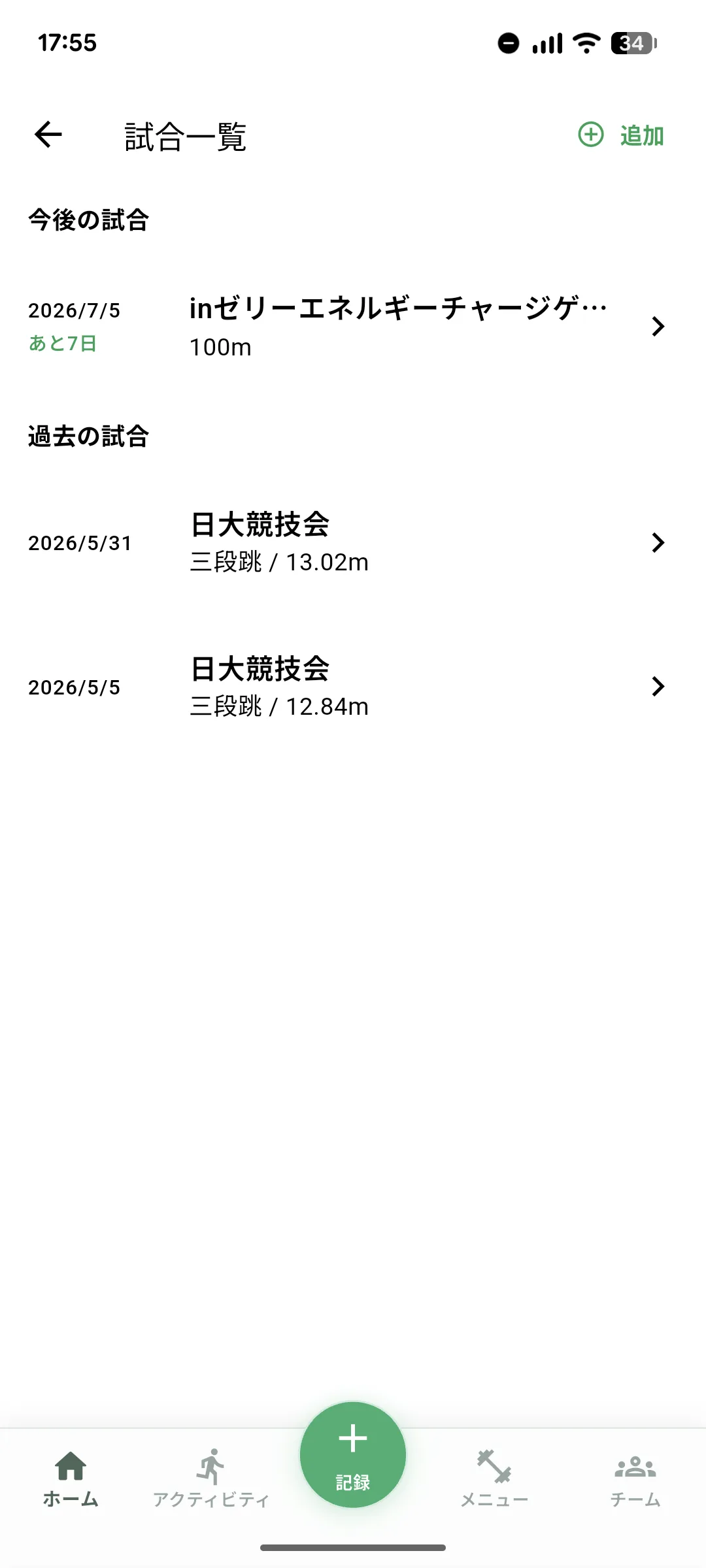
The competition screen separates upcoming and completed meets. Upcoming entries show the days remaining, with a distinct label on competition day. The countdown provides a clear reference for planning a taper.
Add Several Events to One Competition
Enter the meet name and date, then add each event. A single meet can contain 100 m and 200 m, long jump and 100 m, or any other multi-event combination. Combined events and multi-event competition days remain grouped as one meet.
Record the Results
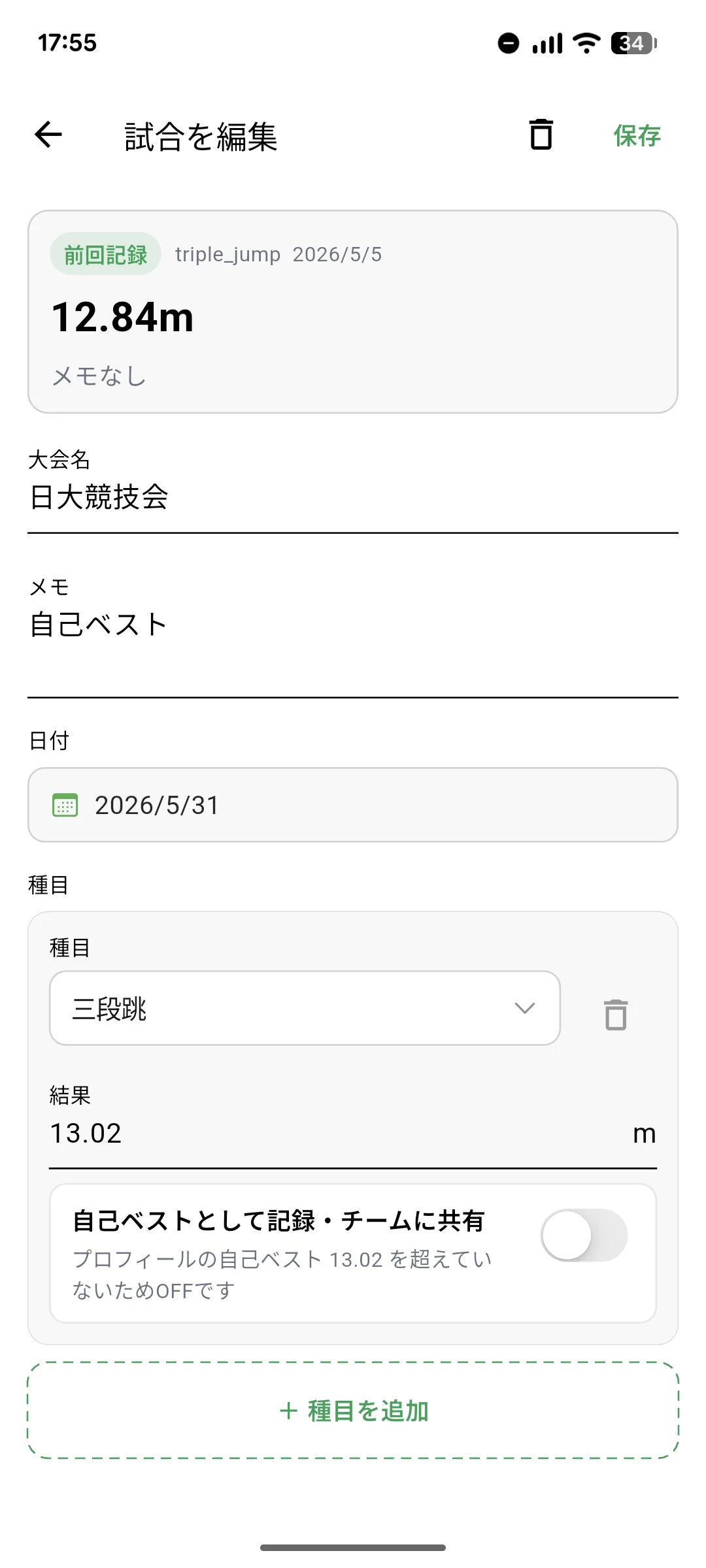
After the competition, add a result for each event using the appropriate unit. A completed meet without results prompts you to enter them, while previous meets remain available as a season history.
Update a Personal Best
When saving a result, choose whether it should update the corresponding personal best. This keeps competition history and profile bests connected and avoids duplicate entry.
Review Training Around Competition
Competition results create natural markers in a season. Compare a strong meet with the training and condition records that preceded it. Start by adding the next competition, then let the season history grow from there.
Start Your Journey with traqqer
traqqer is an AI-powered app that helps you build better habits.
Download now and transform your daily routines for a better life.
