How to Use a Running-Form Analysis App for Both Performance and Injury Prevention
Updated July 15, 2026
By the traqqer Editorial Team
A running-form analysis app is not only a tool for running faster. It can help you pursue speed while reducing avoidable injury risk. To do both, compare form at different intensities instead of evaluating a single clip in isolation.
Quick Answer: What Does a Running Form Analysis App Check?
A running form analysis app helps you review movement from video or sensor data. Depending on the app, it may highlight body position, cadence, foot placement, joint motion, or left-right differences. The most useful result is not a universal “good form” score; it is a repeatable comparison that helps you test one change under similar conditions.
Before choosing an app, check four things:
| Check | Why it matters |
|---|---|
| Whole-body visibility | Cropped limbs make movement harder to interpret |
| Frame-by-frame playback | Important positions can change within a fraction of a second |
| Consistent comparisons | The same angle and distance reduce recording noise |
| Export or history | Saved clips make progress visible over time |
During an easy run, look for relaxation, light ground contact, and side-to-side imbalance. During strides, look at rhythm and how the arms and legs coordinate. At maximum effort, watch for late-race breakdown and increased vertical movement. The same athlete can show a different issue at each intensity, so decide what matters before interpreting the analysis.
Use these checkpoints by intensity:
- Easy running: relaxation, light contact, and left-right imbalance
- Strides: rhythm and arm-leg coordination
- Maximum effort: late breakdown and increased vertical movement
When using traqqer, record in the same place, from the same angle, and over the same distance. Comparison quality depends as much on recording conditions as it does on the analysis system. After receiving the result, choose one improvement point, apply it in the next session, and record again.
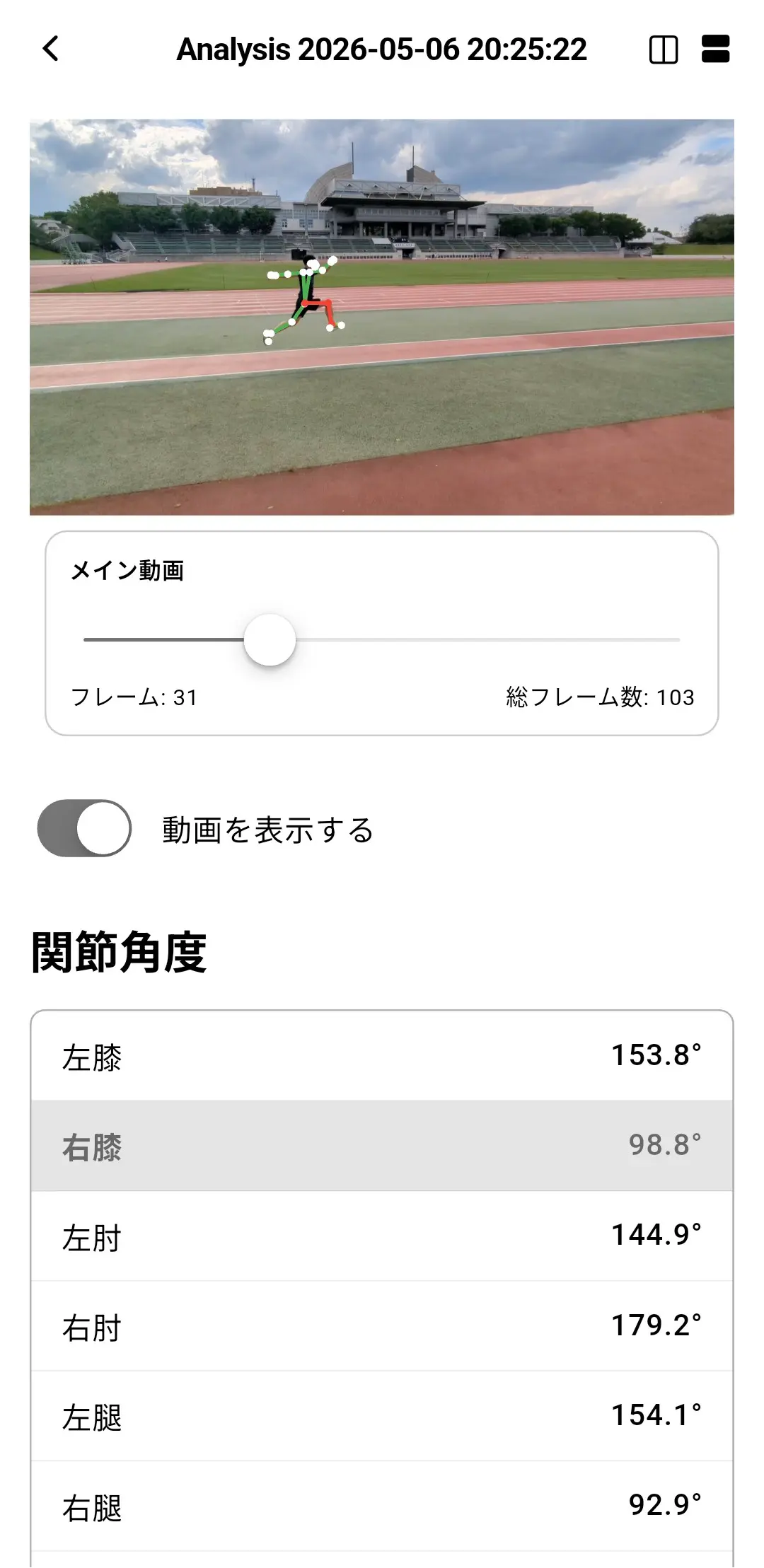
For injury prevention, watch for left-right imbalance, increased vertical motion under fatigue, and unstable foot placement. Identifying the beginning of a breakdown before pain appears can help you respond before a small issue becomes a long interruption.
Prioritize these three checks:
- Left-right shifts in balance
- Vertical movement under fatigue
- Changes in foot-strike position
What the Research Suggests
A review related to trail running found that more than 70% of musculoskeletal injuries were attributed to overuse. It also reported 6–11% increases in impact peaks or loading rates during fatigued running. This supports comparing form not only when an athlete feels fresh, but also at the intensities and late stages where control begins to change.
- More than 70% of injuries were related to overuse
- Impact peaks and loading rates increased by 6–11% under fatigue
Source
Summary
Running-form analysis becomes more useful when you compare different intensities and keep recording conditions consistent. Repeated, focused comparisons can support both performance and injury prevention.
Frequently Asked Questions
Can an app analyze running form from a phone video?
Yes. Video-based apps can review movement recorded on a smartphone, although the available outputs differ. Keep the whole body in frame, use good light, and avoid moving the camera during the effort.
Which camera angle is best for running-form analysis?
A side view is a useful default for body position and foot placement. A front or rear view can add information about side-to-side movement. Use the same angle when comparing two sessions.
Can a running-form app diagnose an injury?
No. An app can help you notice movement changes and organize observations, but it cannot replace an assessment by a qualified healthcare professional. Persistent or worsening pain needs appropriate medical evaluation.
Start Your Journey with traqqer
traqqer is an AI-powered app that helps you build better habits.
Download now and transform your daily routines for a better life.
